



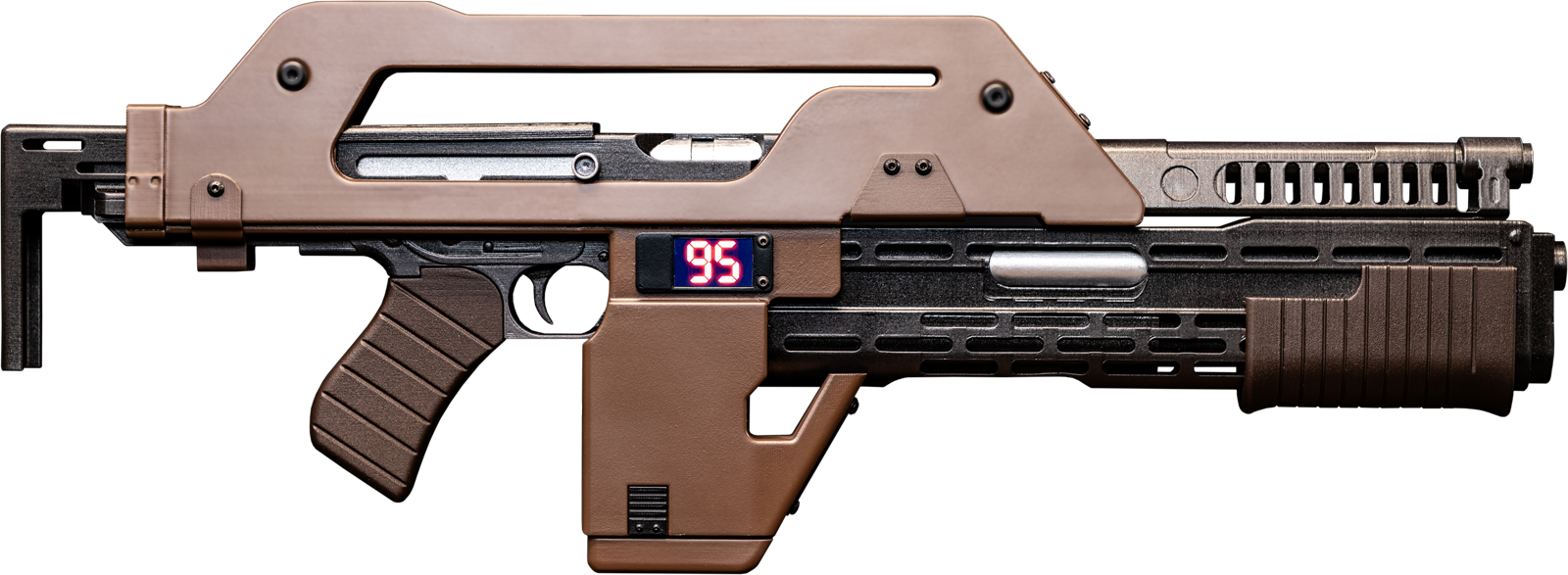



Props 3D Pulse Rifle
Functional Parts:
– Pump Works and can chamber and eject shells (included)
– Bolt locks back and trigger releases it
– Stock Retracts
– Magazine is removable
– Shell is removable to see parts under
Parts List
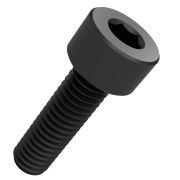 Cap Head ScrewsM3x25 X2
M4x16 X2
M4x14 X2
M4x20
M4x22
M4x25
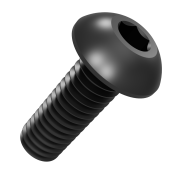 Button Head ScrewsM3x6 X2
M3x8 X6
M3x25
M4x4 X2
M4x6 X2
M4x10 X12
M6x6 X2
M6x30 X2
 Spring 15mm X .4 X.4
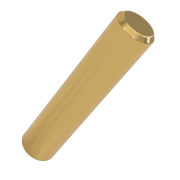 Brass Rod 4mm X 20mm
 3/8 or 9.5mm dowel 150~300mm long
Steps

1. Join the Reciever
- P3D_M41A1_Reciever_FrontRight_V2
- P3D_M41A1_Reciever_FrontLeft_V2
- P3D_M41A1_Reciever_RearRight_V2
- P3D_M41A1_Reciever_RearLeft_V2
- 4 Pieces of Filament
- Glue
- If you are printing the receiver in parts, glue the two right halves, and left halves, together using a strong glue like a 2 part epoxy.
- It’s recommended that you use filament pieces as guides using the holes provided.
- Give them plenty of time to cure, usually a few days. In the end you should have one complete right and one complete left half of the receiver.

2. Join the Shell
- P3D_M41A_BodyShell_RF_V2
- P3D_M41A_BodyShell_LF_V2
- P3D_M41A_BodyShell_RB_V2
- P3D_M41A_BodyShell_LB_V2
- 4 Pieces of Filament
- Glue
- If you are printing the shell in parts, glue the two right halves, and left halves, together using a strong glue like a 2 part epoxy.
- It’s recommended that you use filament pieces as guides using the holes provided.
- Give them plenty of time to cure, usually a few days. In the end you should have one complete right and one complete left half of the shell.

3. Join the Shotgun Frame
- P3D_M41A_ShotgunShroudBack_V2
- P3D_M41A_ShotgunShroudFront_V2
- P3D_M41A_Shotgun_Shroud_Cap_V2
- 4 small pieces of filament
- If you are printing the shotgun shroud in parts, glue the front and back together using a strong glue like a 2 part epoxy.
- Glue the shroud cap on using 4 pieces of filament to keep it in the right place
- Give them plenty of time to cure, usually a few days. In the end you should have one complete right and one complete left half of the shell.

4. Install the Trigger and Firing Mechanism
- P3D_M41A_Trigger_V2
- P3D_M41A_Connector_V2
- P3D_M41A_Seer_V2
- Button M3x6 X2
- Rod M4x20 X2
- Spring 15mm 4mm .4mm
- Screw the trigger, connector, and seer together as shown with the button M3x6 screws
- Insert the 20mm rods into the trigger and seer
- Insert the spring in the divot of the frame and nub on the seer
- Test by depressing the trigger, it should lower the seer at the back

5. Install the Bolt
- P3D_M41A_RecoilSpring_V2
- P3D_M41A_Bolt_V2
- M5 Nut
- Place the bolt into the track
- Insert the spring into the channel behind the bolt, you’ll have to compress it a bit to get it to fit
- Place the M5 nut onto the slot

6. Join the Frame
- Cap M4x14 X 2
- Cap M4x16 X 2
- Cap M4x20
- Cap M4x22
- Screw the two Cap 14mm screws in at the bottom back
- Screw the 16mm screws into the frame just above the mag release and between the safety and selector
- Screw the Cap 20mm into the hole at the very back top
- Screw the Cap 22mm into the middle of the body just above the mag well

7. Add the Frame Parts
- P3D_M41A1_Safety_V2
- P3D_M41A1_SafetyRod_V2
- P3D_M41A1_Selector_V2
- P3D_M41A1_SelectorRod_V2
- P3D_M41A1_MagRelease_V2
- P3D_M41A1_MagReleasePart2_V2
- Glue the rods into the safety and selector then glue them into the position you’d like them to be in
- Glue the small tab onto the mag release as shown then glue it onto the frame in the position shown

8. Install Bolt Handle
- P3D_M41A RecieverBolt V2
- Glue the receiver bolt on to ONE SIDE of the receiver so you can take it apart later

9. Install Bolt Handle
- P3D_M41A1_Charging_Handle_V2
- Button M3x25
- Screw the charging handle on with the bolt

10. Attach Stock
- P3D_M41A_Stock_V2
- Button M3x8 X4
- Screw the stock onto the back, keep it a bit loose if you want it to move in and out or tighten in the position you like

11. Screw on Grip
- P3D_M41A1_Grip_V2
- Cap M5x100
- Place the grip in the correct location before running the bolt in so it won’t get caught on the lip
- Screw the bolt through the bottom of the grip into the frame, through the nut. It should hold firmly

12. Magazine
- P3D_M41A_Magazine_V2
- P3D_M41A_MagazineCap_V2
- Glue the magazine cap onto the magazine
- The magazine should insert firmly into the frame and friction fit

13. Assemble Barrel
- P3D_M41A_Barrel_Front_V2
- P3D_M41A_Barrel_Back_V2
- 3/8 or 9.5mm dowel 150~300mm long
- Insert dowel down the barrel make sure it sticks out of the barrel and is flush with the hole in the receiver
- Place glue on the front and back of the barrel where they will join and press them together
Note: It may be hard to position the dowel in the back the exact right length. You can leave it a bit long then cut it off after leaving 16mm protruding out the back.

14. Set Extractor
- P3D_M41A_Shotgun_Bolt_V2
- P3D_M41A_Extractor_V2
- Push the extractor into the hole in the bolt
- Don’t glue, it should sit snug. Unless you’re using some very strong material this can wear out over time, you can just pop a new one in as needed.

15. Insert Bolt into Body
- P3D_M41A_Shotgun_Body_V2
- Insert the bolt into the body from the rear, it should slide freely

16. Attach Shotgun Barrel
- P3D_M41A_Shotgun_Barrel_V2
- Attach the shotgun barrel from the front
- Gluing is OPTIONAL, it will not affect disassembly later but I find it stays in place pretty well by itself once the shotgun shroud is on.

17. Slide Shotgun into Shroud
- Slide the shotgun into the shroud from the rear
- It may be tight, if so place the shotgun on a table and carefully tap from the top with a rubber mallet, don’t hit it too hard!!!

18. Place Shotgun Pump Connector
- P3D_M41A_Shotgun_Bolt_Connector_V2
- Place the connector into the track and make sure the holes line up with the holes in the bolt

19. Screw on Shotgun Pump
- P3D_M41A_ShotgunPump_V2
- Cap M3x25 X 2
- Slide the pump on from the back, ensure the orientation is correct (the gap lines up with the ejection port)
- Screw the shotgun on making sure the screws go through the connector and into the shotgun with no gaps
- After attached you should be able to pump the shotgun and the chamber should open

20 Attach Shotgun
- Cap M4x25
- Insert the shotgun into the hole at the bottom of the frame
- Screw together
Note: The shotgun will not be strongly attached until it is screwed into the barrel at the front, treat it carefully.

21 Attach Shroud
- Button M6x30 X 2
- Button M6x6 X 2
- Place the two halves of the shroud around the body and attach them together
- The M6 screws are just for show, screw them in first
- Keep the shroud firmly together as you screw in the 30mm screws

22 Attach Shroud Middle Bracket
- P3D_M41A_BodyShell_FrontBracket_V2
- Button M4x10 X4
- Slide the bracket from the front under the barrel and down to where it sits. You will have to carefully bend the bracket out a bit to clear the front of the shroud
- Screw in place

23 Screw Barrel to Shotgun
- Button M4x6 X2
- Screw the barrel to the shotgun

24 Attach Shroud Top Plate
- P3D_M41A_BodyShell_TopPlate_V2
- Button M4x10 X 4
- Screw top plate onto shroud

25 Attach Shroud Bottom Plate
- P3D_M41A_BodyShell_BottomPlate_V2
- Button M4x10 X 4
- Screw bottom bracket onto shroud

26 Ammo Counter and Mag Release
- P3D_M41A_BodyShell_AmmoCounter_V2
- P3D_M41A_BodyShell_MagRelease_V2
- Button M4x8 X 2
- Glue the mag release onto the shroud in the divot
- Screw the ammo counter in place, optionally add a bit of glue to hold it in place. If wanted print and attach the graphic for an ammo count.

27 Attach Shroud Rear Bracket
- Button M4x4 2
- P3D_M41A_BodyShell_RearBracket_V2
- Screw rear bracket onto shroud

28 Glue in Magazine Spacers
- P3D_M41A_MagSpacer1_V2
- P3D_M41A_MagSpacer2_V2
- Glue the magazine spacers to each side of the shroud
Note: The spacers are optional but help to hold the magazine in the middle. It makes the magazine harder to remove but seats it better.


